
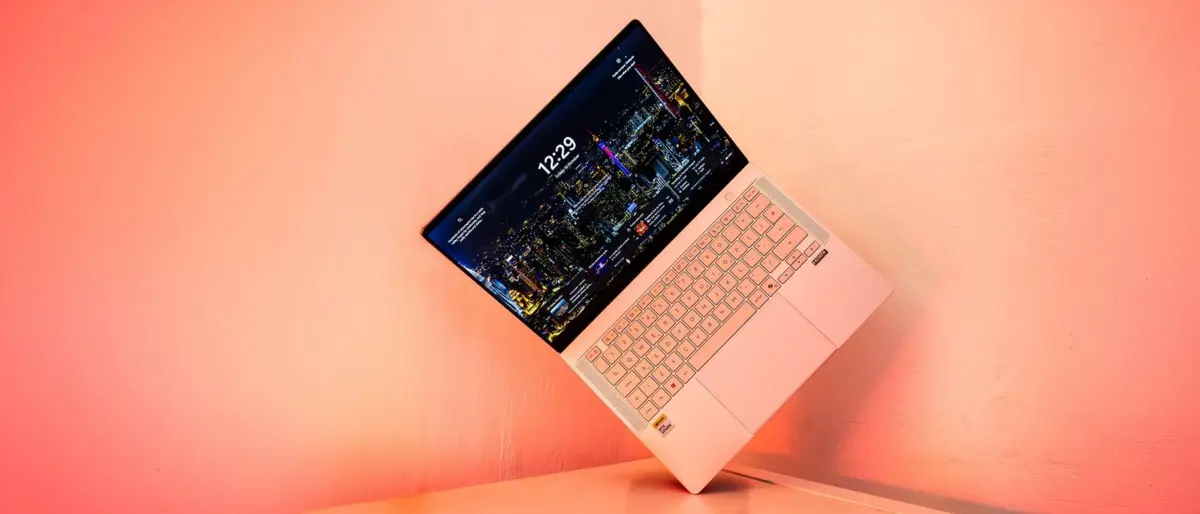
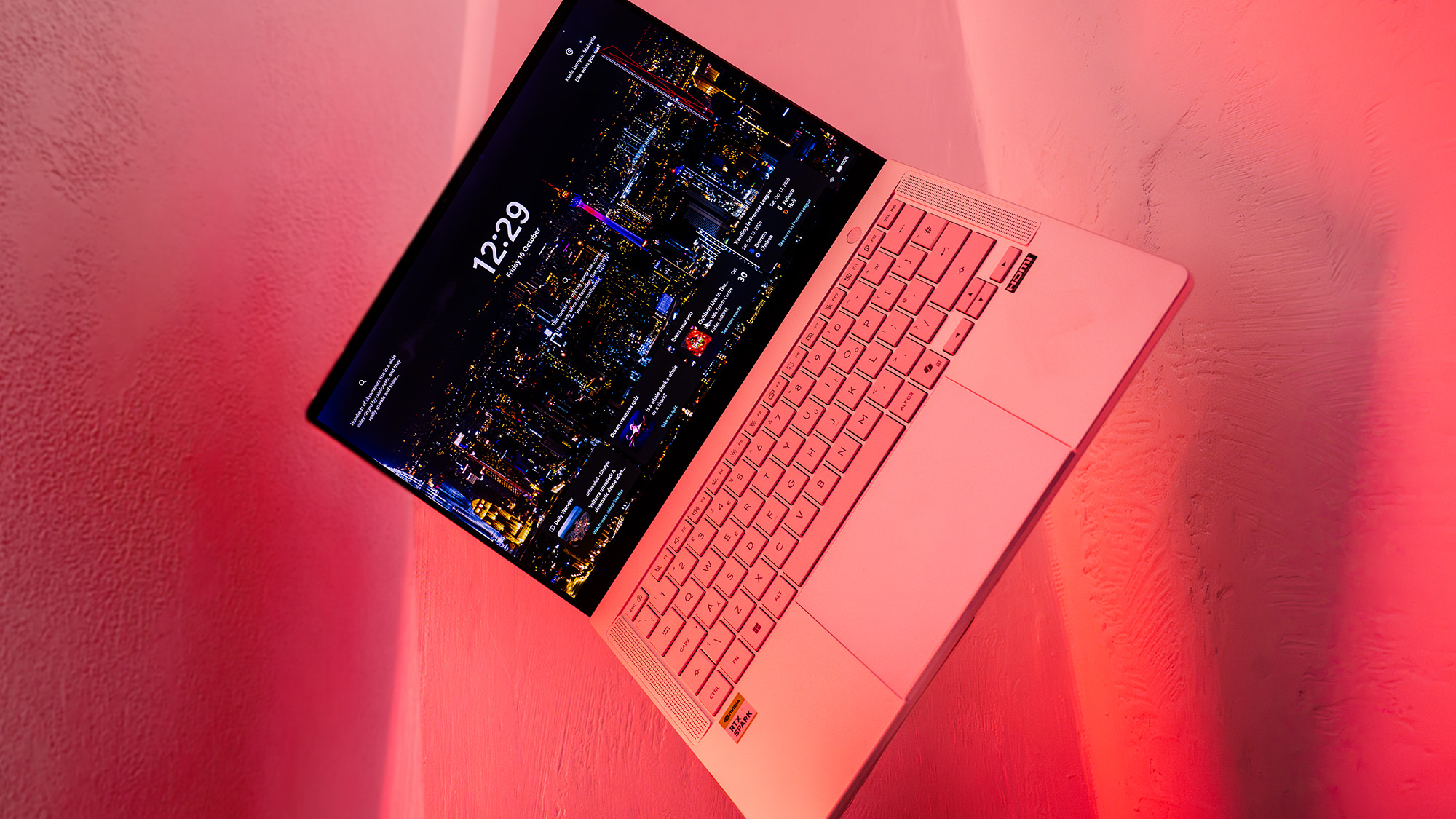
However, the centerpiece of the design is undoubtedly the 14-inch Lumina Pro OLED touchscreen. With a resolution of 2880 x 1800 and a 120Hz refresh rate, the display is a visual triumph. In our testing, the panel managed a maximum SDR brightness of 640 nits, which is exceptional for an OLED screen and makes it usable in a variety of lighting conditions. For color-critical work, the display is equally impressive, covering 97% of the DCI-P3 color gamut, 100% of sRGB, and 94% of Adobe RGB. Whether you are color grading video or preparing complex print designs, the P14 provides a level of accuracy and punch that is difficult to find elsewhere in this form factor.
Features, Connectivity, and Battery Life
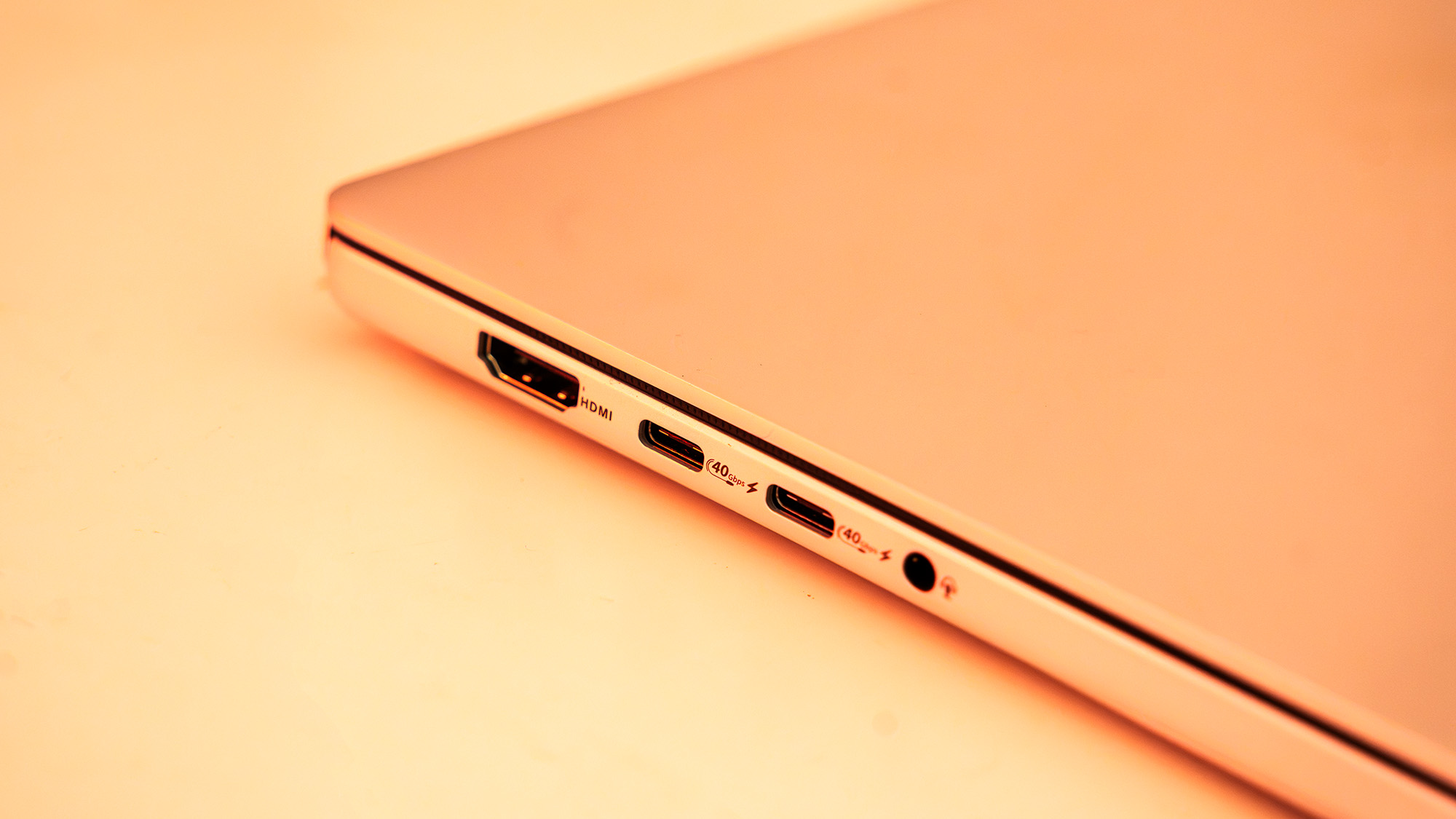
Despite its diminutive size, the ProArt P14 does not skimp on connectivity. It features a robust array of ports, including three USB4 ports, a full-size HDMI 2.1 output, and a dedicated SD card reader. The inclusion of an SD slot is a major boon for photographers and videographers who need to offload footage in the field without relying on a forest of dongles. Wireless connectivity is similarly cutting-edge, supporting Wi-Fi 7 and Bluetooth 5.4.
One of the most touted benefits of the Arm-based Grace CPU is its efficiency, and this translates directly into battery performance. In our video looping tests, the ProArt P14 lasted more than 11 hours on a single charge. For more varied workloads, including web browsing and document editing, the machine comfortably clears the 8.5-hour mark, effectively qualifying as an "all-day" laptop.
There are, however, caveats to this efficiency. When pushed into "Performance" mode to handle heavy AI workloads or rendering, the battery life predictably plummets, and the internal fans become audible. While the fans are not as intrusive as those found on traditional gaming laptops, they do kick in during software updates or moderate multitasking. For those who prioritize silence, ASUS includes a "Whisper" mode, though this naturally throttles the system’s peak performance.
Performance and AI Benchmarking
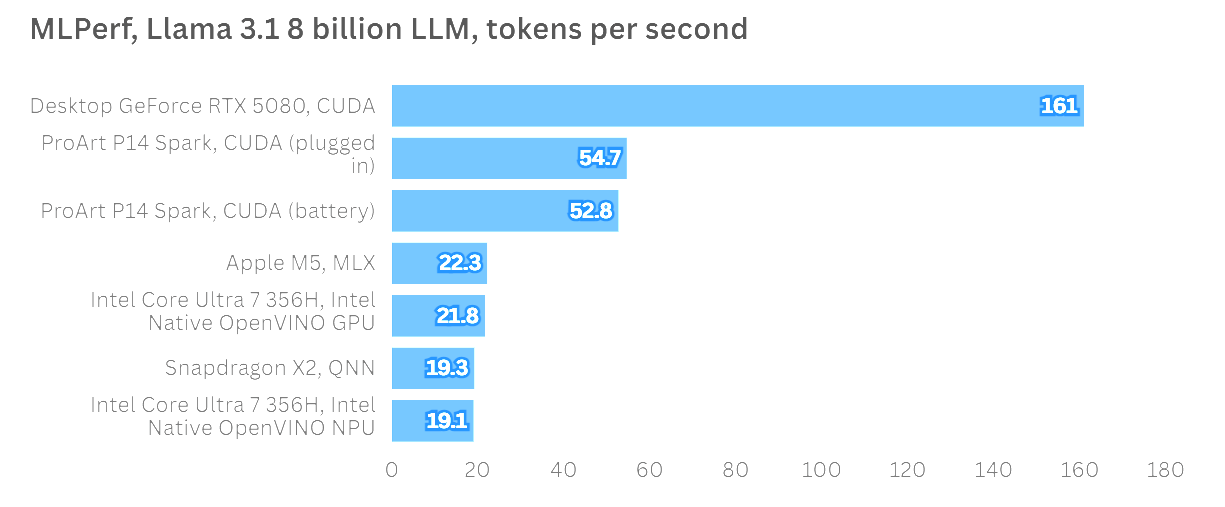
Nvidia is not marketing the RTX Spark platform primarily as a gaming or traditional creative tool, but rather as the premier hardware for AI development and the running of local "AI agents." This focus is evident in the performance metrics. In MLPerf testing, running the Llama 3.1 8 Billion Instruction LLM, the ProArt P14 produced more than twice the tokens per second (TPS) of Apple’s standard M5 chip. It also demonstrated remarkable consistency, showing virtually no performance drop-off when running on battery power compared to being plugged into a wall outlet.
In more traditional creative applications, the results are a mix of raw power and early-adoption friction. In Topaz Video AI, the P14 performed admirably, though it sat slightly behind some RTX 5070-equipped machines, likely due to a lack of specific optimization for the Spark architecture. Similarly, in ON1 Resize AI, the machine showed great potential but was occasionally held back by the current state of software translation.
For creators using Adobe’s suite, there is light at the end of the tunnel. Beta versions of Photoshop and Premiere Pro are already available with native optimization for the Spark platform. When running native software, the unified memory and Blackwell GPU allow the P14 to handle complex timelines and AI-driven image manipulation with ease. Gaming, while not the primary focus, is also a viable secondary use case; the laptop can maintain a steady 60FPS in demanding titles like Cyberpunk 2077 at native resolution, provided Nvidia’s DLSS and frame-generation technologies are utilized.