
In the modern landscape of digital entertainment, from the sprawling open worlds of AAA video games to the hyper-realistic visual effects of cinematic blockovers, the illusion of life is built upon a hidden, complex foundation. While audiences marvel at the fluidity of a character’s stride or the subtle shrug of a hero’s shoulder, these movements are the result of meticulous technical artistry. At the heart of this process lies the 3D rig—a digital skeleton that defines how a model moves, deforms, and interacts with its environment. However, a rig is only as effective as its internal logic, and perhaps no element of rigging is as critical, or as frequently misunderstood, as joint orientation.
Technical artists and animators often face a recurring challenge: a character that looks perfect in a static pose but breaks apart the moment it begins to move. Often, the culprit is not the mesh or the skin weights, but the orientation of the underlying joints. In a professional production pipeline, the way a joint’s axes are aligned can mean the difference between a seamless animation process and a technical nightmare fraught with unpredictable rotations and "gimbal lock." Understanding how to manage these axes is a fundamental skill for any 3D artist aiming to produce industry-standard work.
The Logic of the Digital Skeleton
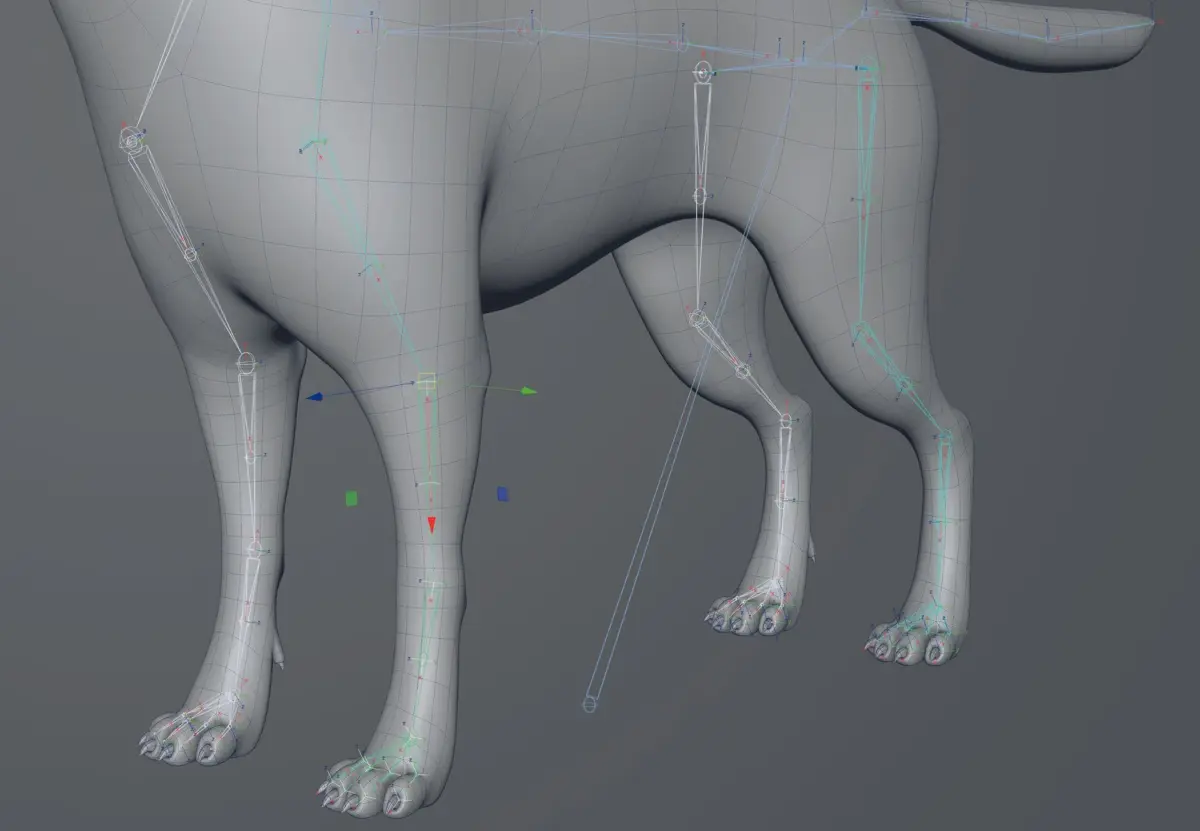
When a digital artist creates a joint chain in software like Autodesk Maya or SideFX Houdini, the software typically applies a default orientation. In most standard workflows, a joint is automatically configured to "aim" at its child in the hierarchy. This creates a predictable path for the primary axis—frequently the X-axis—which runs directly down the length of the virtual bone toward the next joint in the chain.
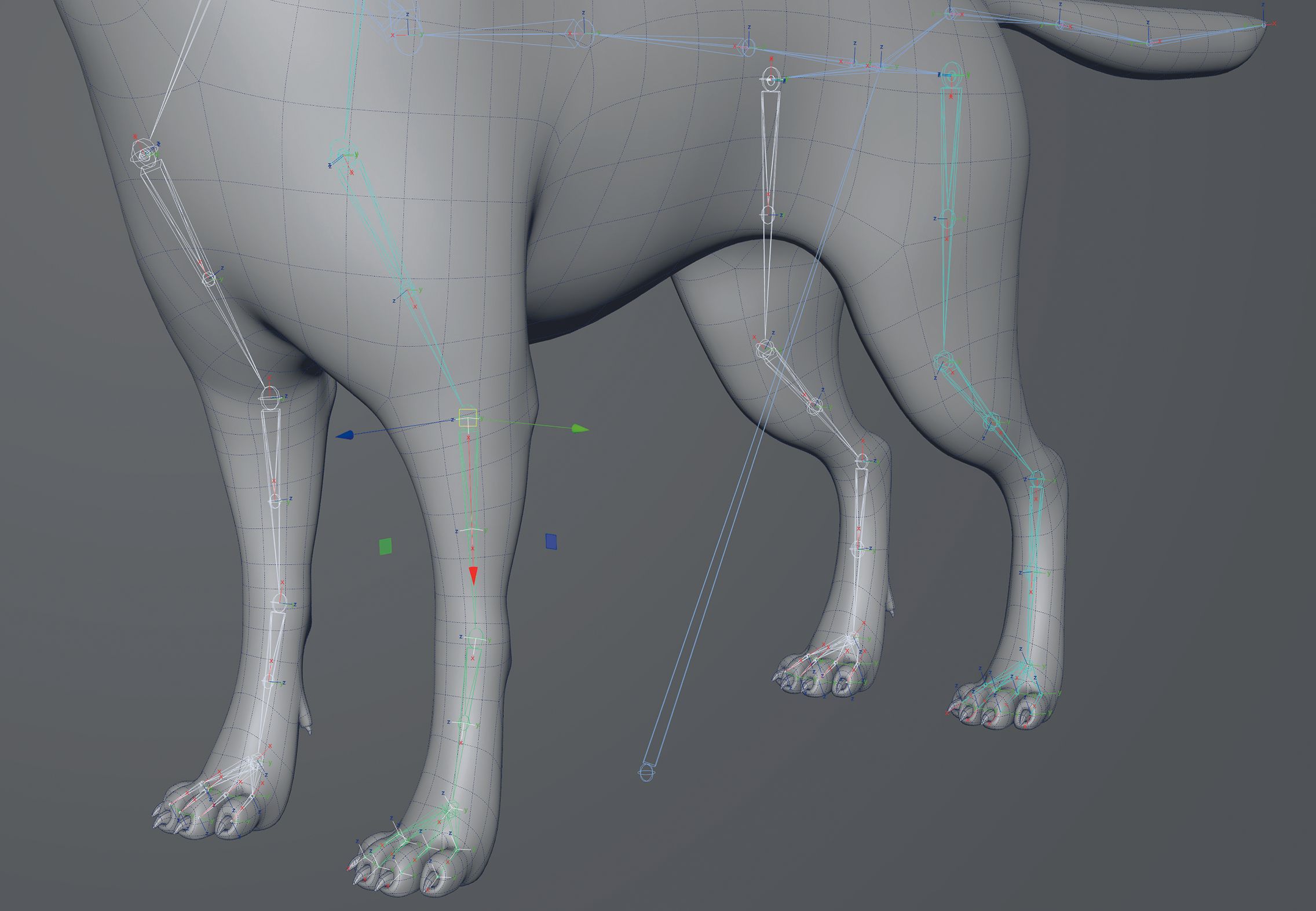
This setup is not arbitrary; it is designed to mimic the predictable nature of biological movement. Consider the human arm: when you rotate your upper arm, the rotation occurs around the humerus bone. By aligning the primary axis of a digital joint with the length of that bone, the software allows for a "twist" that feels natural and intuitive to an animator. When the axes are correctly aligned, an animator can manipulate a single rotation value to achieve a clean, longitudinal twist. If the axes are misaligned, that same movement might require adjustments across three different planes, leading to "counter-animation" and a significant loss of efficiency.
However, the "standard" setup is not always the "correct" setup for every project. The requirements for joint orientation often shift depending on the final destination of the asset. For example, different game engines—such as Unreal Engine, Unity, or proprietary studio tech—may have specific requirements for which axis points "up" or "forward." Furthermore, technical artists must often adjust orientations to mitigate the risk of gimbal lock, a state where two axes of rotation overlap, causing the loss of one degree of freedom and resulting in erratic, jerky motion.